Devices
The Devices node is used to store images of a device (handheld reader, tablet, printer, etc.) and set the areas where your application will be displayed so yon can visualize how it will look if you are developing applications. Once a device is added here, its image and information is populated to other areas in Dev Studio.
Note: RFgen provides ready-to-use images of popular hand held devices for quick and easier design layout of applications. You can also add your own image by downloading it from another source, then using the Browse button to upload it to the Devices folder.
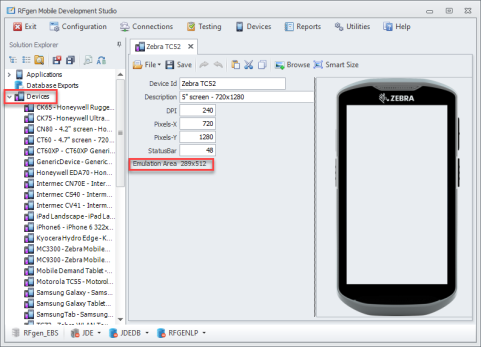
If the device image is larger than the display area for the device, use the Smart Size button to scale the large image so it will fit the display area.
For more details on setting the DPI and dimensions for desktop, handheld, tablet, and phone images, see To Add a Device Skin.
If you are adding a printer:
Interface refers to which language the printer uses to control print operations. ZPL II is the Zebra Programming Language. ESC/Label is used by Epson Label printers. Windows for the interface then this connection type is automatically selected and not editable. Both ZPL II and ESC/Labels can be used to support barcode and RFID labels.
DPI is dots/inch when a label is printed. This is not the DPI of the printer image you are storing.
RFID If checked, displays the RFID Retry Count, and when that model is selected for a printer form it takes that setting as well and is used for that printer queue's setting when printing to the RFid label.
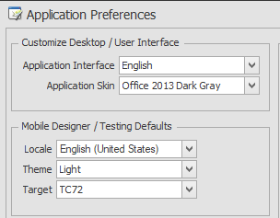
If you have a favorite device image you want used for all your applications and in testing, you can set the image in Configuration > Application Preferences > Mobile Designer/Testing Defaults, Target.